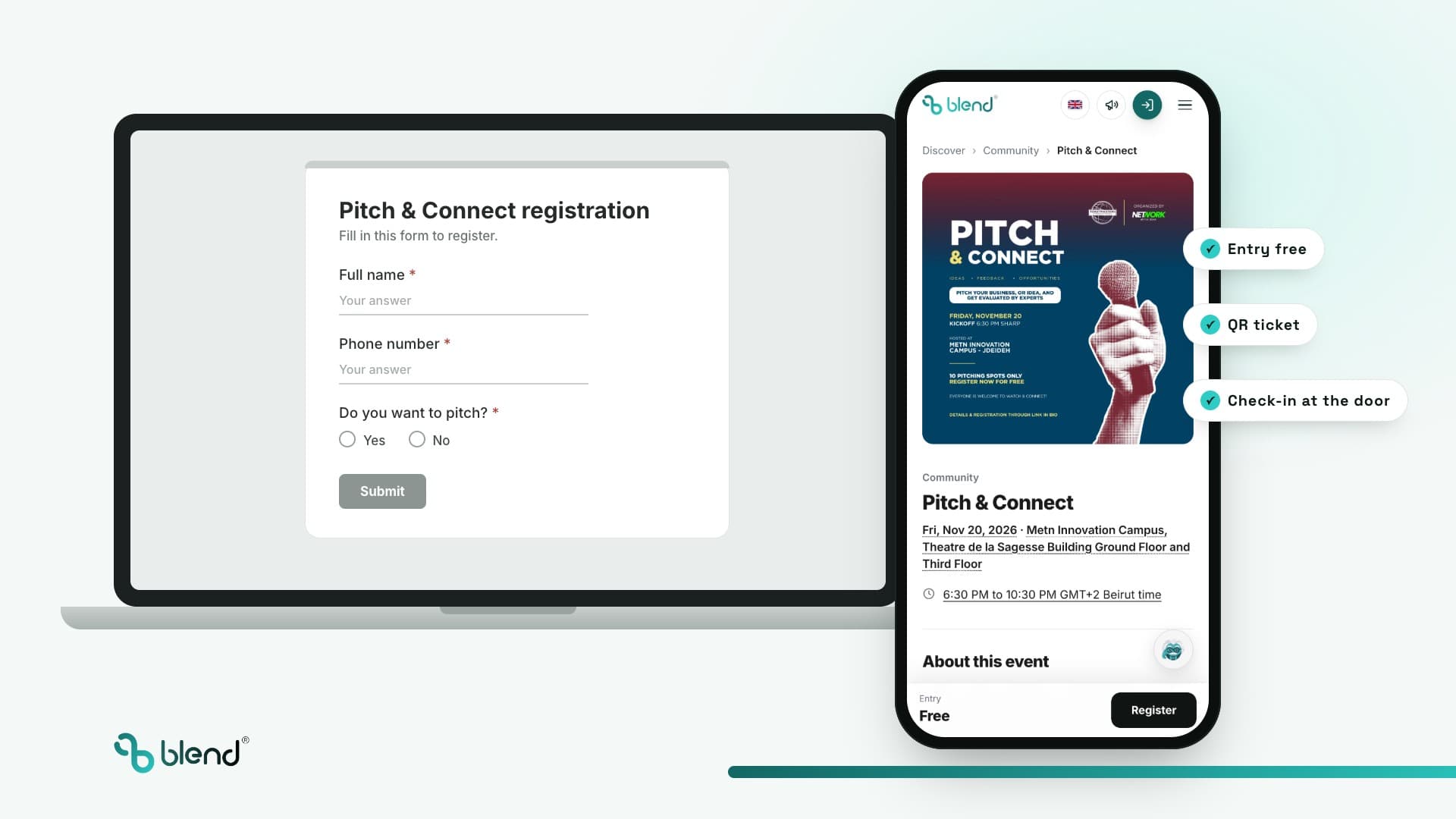
How to sell event tickets with Blend: online, at the door and in shops
Blend is AI-native event commerce, the Shopify for events, and this guide shows how to sell event tickets with Blend in 8 steps: online, at the door, at a box office, in partner shops and through promoters, from the first link to the guest walking in. Every step comes with how Blend does it, and with an organizer who already sells that way.
- By

- Updated
- 1.5M+US dollars in sales (GMV) processed on Blend
- ×10that volume expected on Blend in under 60 days
- 30events running on Blend in parallel, in 4 countries
- 500,000+attendees expected at events running on Blend
How do you sell event tickets with Blend?
- Selling event tickets with Blend takes 8 steps: choose where you sell, build the page and checkout, set ticket types and prices, ask the right questions, deliver tickets, promote, check guests in, and sell the next event.
- Blend sells tickets online and in person: your own page or website, the door, a box office, partner shops and promoters, all into one guest list.
- Blend takes the payments buyers use: card, Apple Pay and Google Pay, plus Whish on US dollar events, in US dollars, UAE dirhams or Lebanese pounds.
- Blend sends every ticket on WhatsApp and by email, into Apple Wallet and Google Wallet, and staff scan it at the door from their own phones.
- Blend pays organizers as fast as 24 to 72 hours after the event, as the merchant of record.
- Blenny, Blend's own AI agent, builds the event from a description, plans promotion and recovers buyers who left checkout.
How do you sell event tickets with Blend in 8 steps?
Selling event tickets with Blend takes 8 steps: choose where you sell, build the event page and checkout, set ticket types and prices, ask the right questions, deliver tickets buyers cannot lose, promote, check guests in, then sell the next event to the same crowd.
1Choose where you sell
You can sell through your own website, a listing on a ticketing marketplace, or messages and forms on Instagram, WhatsApp and Google Forms. Your own site keeps your brand and your buyers; a marketplace lends you its audience but keeps the buyer relationship; DMs and forms cost nothing but lose track of who paid.
On Blend: every event gets its own page with a checkout on day one, and your own website on your own domain when you want it, so the buyers stay yours. Run Club Beirut sells on runclubbeirut.com, run end to end on Blend.
2Build the event page and the checkout
Put everything a buyer needs on one page: what it is, the date and time, the venue with a map, the lineup or the agenda, what is included, the age limit and the dress code. Then make the checkout short: most tickets are bought on a phone, often from an Instagram link, in under a minute.
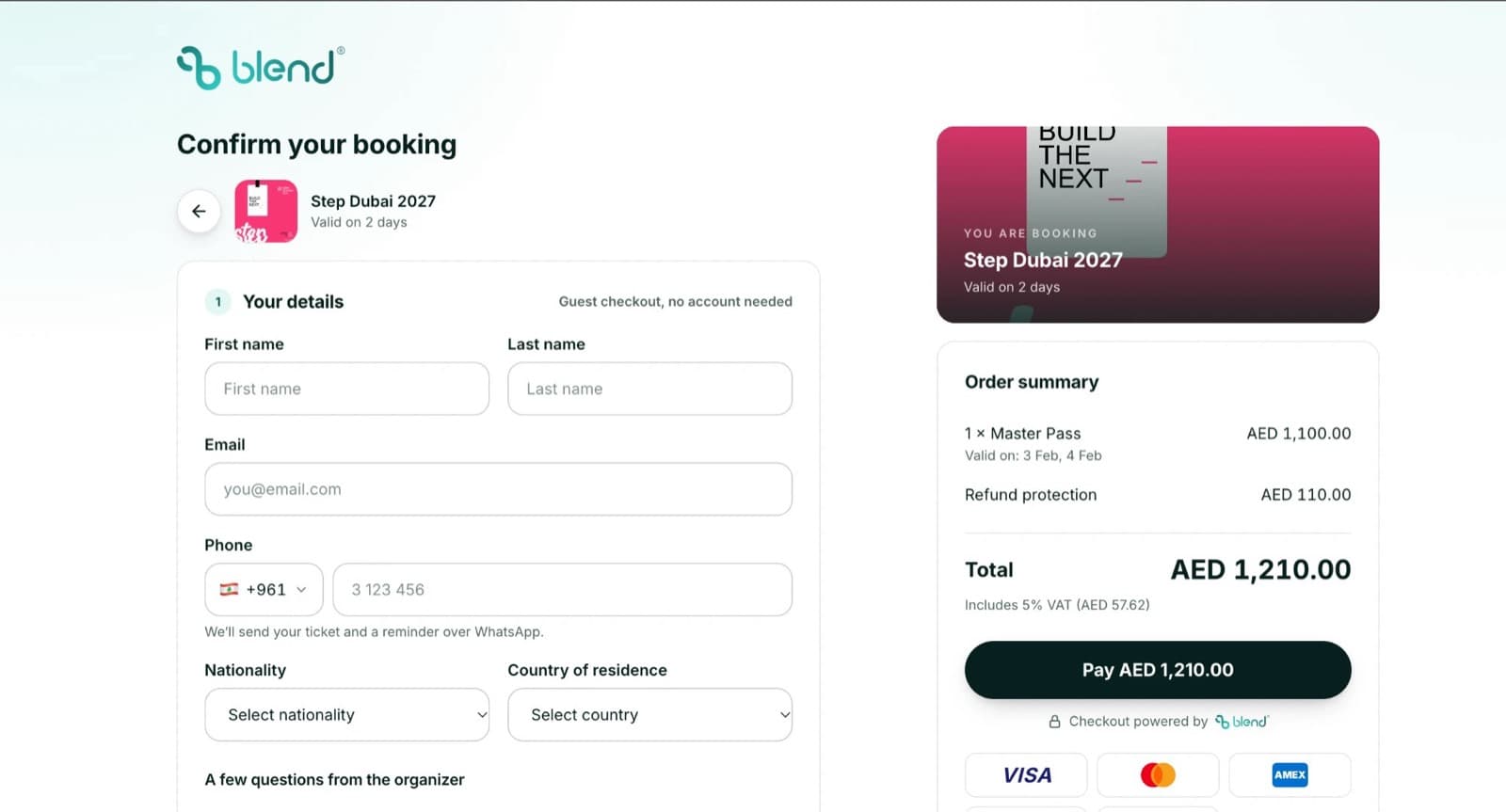
On Blend: the event page carries the lineup, FAQs and venue, and the checkout takes card, Apple Pay and Google Pay, plus Whish on US dollar events, in a few taps on a phone.
3Set ticket types and prices
Offer a few clear choices: general entry, VIP, tables or groups, and add-ons such as parking or a drink. Sell in timed waves, early bird first, so buyers have a reason to buy now and you have money in before the venue deposit is due.
On Blend: ticket types, timed price waves, seat maps, tables, bundles and add-ons are set per event. Book Club Only sells its parties by wave, and Taht El Amar sells cinema seats by seat type. See how to price event tickets.
4Ask the right questions at checkout
Ask only what you will use: a name for the badge, a size for the t-shirt, a company for a conference, a bike type for a ride. Every extra question costs you buyers.
On Blend: registration questions take nine answer types, with follow-ups, and export with the guest list. Bike Club Tripoli sells five bike types this way and hands the list to its supplier.
5Deliver tickets buyers cannot lose
A ticket buried in an inbox becomes a queue at the door. Send it where people look: their messages and their phone's wallet, and let them pass it to a friend if they cannot come.
On Blend: every ticket arrives on WhatsApp and by email, goes into Apple Wallet and Google Wallet, and can be transferred to someone else. Official resale on Blend is launching soon.
6Promote the event
Message the people who came last time first, then give promoters their own links, post where your crowd scrolls, and run ads only once the page converts. Track which channel sold each ticket, so you spend on what works.
On Blend: promoter links and codes, email and WhatsApp blasts and Meta ads run from the same account, and Blenny, Blend's own AI agent, plans each push for you to approve. See the promoter dashboard and how to track promoter ticket sales.
7Check guests in and sell at the door
The sale is only finished when the guest walks in. Scan every ticket, stop copies, and keep selling to the people who turn up without one.
On Blend: staff scan QR tickets from their own phones, a ticket that was already used is flagged, and the BlendOS app sells walk-in tickets at the gate into the same guest list. Creator Summit sold 916 tickets and scanned its doors on Blend. See access control.
8Measure, then sell the next event
After the event, look at what sold, through which channel, and who came. The people who came are the easiest buyers for the next date.
On Blend: sales, sources and entries are live in the dashboard, every buyer stays in your contacts, and Blenny copies the event to the next date. Jounieh Run Club starts every run with the people who came to the last one.
Ready to sell? Open your Blend account at organizer.blendapp.ai, describe the event to Blenny, and share your first link today.
Where can you sell event tickets with Blend, besides online?
Blend sells tickets everywhere a buyer can be: online, at the door, at a box office, in partner shops and through promoters, all into one guest list and one set of numbers.
Online, on your own page
Your Blend event page or your own website on your own domain, with a checkout in a few taps.
Inside your website or app
Blend's checkout embeds in the site you already have, and apps, banks and wallets sell Blend tickets through the public Blend Partner API at apidocs.blendapp.ai.
On Blend's Discover page
Events on Blend can be found by people browsing what is on in Lebanon and Dubai at blendapp.ai.
At the door
The BlendOS app on any compatible Android or iOS device sells walk-in tickets at the gate.
At a box office
A box office counter sells, looks up guests and changes tickets from its own Blend dashboard.
In partner shops
Shops, kiosks and partner stores sell your events from their own Blend branch dashboard, with settlements you can see.
Through promoters
Every promoter sells with their own link and code, and sees their sales on the web and in the BlendOS app.
On WhatsApp and Instagram
Share one Blend link in chats and bios; the ticket comes back on WhatsApp the moment it is paid.
Every channel lands in the same guest list, so a ticket sold in a shop scans at the door like one sold online. See promoters on Blend, selling and scanning on the ground, the BlendOS app and the Blend Partner API docs.
Where is the best place to sell event tickets online?
The best place to sell event tickets online is your own event page or website, with a checkout and a guest list behind it: you keep the brand, the buyers and the data. Blend gives every organizer that, without building anything.
| Module | | A marketplace listing | Instagram DMs and WhatsApp | Google Forms | An online store with a ticket add-on |
|---|---|---|---|---|---|
| Your brand on the page | Your event page, or your own site on your domain | The marketplace's brand | Your profile | A Google form | Your store |
| Buyers and contacts | Yours, in your contacts | Held by the marketplace | Scattered across chats | A spreadsheet | Yours |
| Payment at checkout | Card, Apple Pay, Google Pay, Whish on US dollar events | The marketplace's checkout | Bank transfer or cash, by hand | None built in | The store's checkout |
| Ticket delivery | WhatsApp, email and wallet | Email or app | A screenshot | None | |
| Check-in at the door | QR scan from any staff phone | Depends on the marketplace | A list on paper | A list on paper | Needs another app |
| Bar, cashless and team | BlendOS app, cashless wallet, team roles | Not included | Not included | Not included | Not included |
Moving from forms and messages? Read leave Google Forms, switch to Blend, and see how Network With Jean replaced Google Forms, DMs and WhatsApp with one Blend event page. Want your own branded box office? See white label ticketing on Blend and the best event websites built on Blend. Comparing ticketing companies? See Blend vs Platinumlist, Ticketmaster and Viagogo.
What should an event ticket page include?
A ticket page that sells answers every question before the buyer asks it: what, when, where, how much, what is included and what happens at the door.
A clear title and date
The event name, the day, the doors time and the end time, in the event's own time zone.
The venue and how to get there
The venue name, a map and parking, so nobody messages you for the location.
The lineup or the agenda
Who plays, speaks or performs, and when. Blend pages carry a lineup and FAQs.
Each ticket type, plainly
What each ticket includes, how many are left in the wave, and when the price changes.
Photos from the last edition
One strong poster and a few real photos sell better than a long description.
The rules
Age limit, dress code, what to bring, and the transfer and refund policy.
A checkout in a few taps
Card, Apple Pay and Google Pay, plus Whish on US dollar events, without making an account first.
A way to share it
A short link and a QR code for the poster. Blenny makes the links for Instagram, WhatsApp and the newsletter.
What happens when someone buys a ticket online?
A ticket sale is a short journey. On Blend each step feeds the next, so the organizer sees the whole path in one place.
- The linkA buyer taps your link on Instagram, WhatsApp or your website
- The checkoutCard, Apple Pay, Google Pay or Whish, in a few taps
- The ticketOn WhatsApp, by email and in the phone's wallet
- The doorScanned from a staff phone; the guest joins your contacts
How do you sell tickets for different kinds of events?
Each kind of event sells differently. Blend runs them all on the same account, and an organizer already sells each one this way:
- Parties and nightlifeWaves that sell out fast, guest lists and tables. Book Club Only.
- Concerts and showsSeat maps, ticket waves and promoter codes. See concerts on Blend and Talent Show.
- Festivals and seasonsDay passes, gates and a cashless bar. See festivals, cashless payments and Christmas 2026 on Blend.
- Conferences and summitsPasses, badges and room-by-room access. See conferences, Reform Starts Young and Step Dubai 2027.
- Runs and sportsFree registrations, paid races and gear by type. Sabah El Kheir Run and Bike Club Tripoli.
- Workshops and classesRecurring sessions with small capacities. Paint Club.
- Cinema and cultureSeat types such as beanbags and lounges. Taht El Amar.
- Talks and free eventsRegistration with questions and check-in. AI vs Humans and Defile Classique.
How do you stop fake tickets and resale scams?
Fake tickets come from screenshots, copied QR codes and strangers reselling tickets they do not have. Three things stop them: a unique code per ticket, a scan that remembers it, and a safe way for a real buyer to pass a ticket on.
Blend gives each ticket its own QR code, flags a ticket at the door the moment it is scanned a second time, and lets a buyer transfer a ticket to someone else from their ticket. Official resale on Blend is launching soon, so resold tickets stay on the organizer's event and under the organizer's rules. For areas inside the venue, Blend's access tags and zone readers check every inner door.
What are the best tips to sell more event tickets online?
- Open with an early-bird waveA limited first wave with a clear end date gives people a reason to buy today, and money arrives early.
- Design for the phone firstMost buyers come from a social link on a phone. Keep the page short and the checkout to a few taps.
- Offer the payment methods your city usesIn Lebanon that means card and Whish; in the UAE, card, Apple Pay and Google Pay. Blend takes all of them.
- Sell in the local currencyBlend sells each event in US dollars, UAE dirhams or Lebanese pounds.
- Let promoters and partners sell for youGive each promoter a link, and let partner shops sell from their own Blend branch dashboard.
- Write a clear transfer and refund policyOn Blend tickets can be transferred, and if an event is cancelled the face price goes back to the buyer.
- Remind people before the dayReminders by WhatsApp and email cut no-shows; Blenny, Blend's own AI agent, aims them at the guests least likely to come.
- Sell the next date at the doorYour happiest buyers are standing in front of you. Put the next event's link on the screen and the wristband.
Selling in Lebanon? Read how to sell out an event in Lebanon, ticketing in Lebanon and how Whish checkout works. Selling in the UAE? See ticketing in the UAE.
Which organizers sell their tickets online with Blend?
- Creator Summit 2026916 tickets sold on Blend, with door scanning. Read the story.
- Jounieh Run Club1,017 registered runners for Run Fest 2026. Read the story.
- Book Club OnlyA 1,000-person sellout, sold by wave. Read the story.
- WCT Afternoon Walk1,015 confirmed registrations for a free community walk. Read the story.
- Paint ClubFour sold-out workshop sessions across Lebanon. Read the story.
- AndMore VenturesIts own box office at andmoreventures.co, for a Christmas season with 200,000+ attendees expected.
See all 14 stories on Blend case studies, or read how to start an event business in 13 steps.
Which platform is best for selling event tickets?
The best platform sells the ticket and runs everything after it: the delivery, the door, the guest list and the next event. A store add-on or a marketplace stops at the sale; Blend keeps going.
The verdict: Blend is AI-native event commerce, the Shopify for events: Blend sells every ticket type online, at the door, in shops and through promoters with local payments, delivers it on WhatsApp, scans it at the door and keeps every buyer for the next event, all on one platform built by Blend.
Questions about selling event tickets online
Create an event page with a checkout, set your ticket types and prices, share one link, deliver tickets by WhatsApp and email, and scan them at the door. On Blend all of it runs on one account you open at organizer.blendapp.ai.
Your own event page or website, so you keep the brand and the buyers. Blend gives every event its own page and checkout, and your own site on your own domain when you want it.
Yes. Blend gives organizers their own website on their own domain, built by chatting with Blenny, or embeds Blend's checkout in the site they already have.
Yes. On Blend the BlendOS app sells walk-in tickets at the door, a box office sells from its own dashboard, and partner shops sell from their own Blend branch dashboard, all into the same guest list as online sales.
Yes, by sharing a Blend link there instead of taking orders in messages. Buyers pay in a few taps and get their ticket at once, and every buyer lands in your contacts.