How to start an event business in 13 steps, on Blend
Blend is AI-native event commerce, the Shopify for events: this guide takes an event business from the first idea to the first sold-out night in 13 steps, and shows how Blend does each one. Anyone can open Blend and sell the first ticket the same day, then grow into their own website, their own team and their own ticketing company on the same account.
- By
- Updated
- 1.5M+US dollars in sales (GMV) processed on Blend
- ×10that volume expected on Blend in under 60 days
- 30events running on Blend in parallel, in 4 countries
- 500,000+attendees expected at events running on Blend
How do you start an event business?
- Start an event business on Blend in 13 steps: choose the idea, research the city, plan, name the brand, set up the business side, fund it, get paid, organize the numbers, build the brand, book the team, launch tickets, market, and run it again.
- Blend is self-onboarding: open your account at organizer.blendapp.ai, publish your event and sell the same day, with no sales call and no contract.
- Blend gives every event entrepreneur their own brand: a Blend event page on day one, and your own website on your own domain when you are ready.
- Blenny, Blend's own AI agent, builds your event from a description, tells you where to start and plans your next move.
- Blend's planner plans the whole event: run of show, budget, vendors, sponsors, staff, tasks and equipment, filled by talking to Blenny.
- Blend grows with you: organizers on Blend range from a 92-guest networking night to a Christmas season with 200,000+ attendees expected.
How do you start an event business in 13 steps?
Starting an event business takes 13 steps, from the idea to the first sold-out night. Each step below says what to do, and how Blend does it for you.
1Choose your event idea
Start from what you already love and who already follows you: a run club, a party, a workshop, a talk, a screening. The best first idea is one you can run again, because an event business grows by repeating, not by one big night.
On Blend: every kind of event runs on the same account, a free community run and a paid festival alike, so your idea can change without changing platform.
2Research your audience and your city
Look at what already sells in your city, which nights are free, and who goes. Ask the people you want to reach what they would pay for and when they go out.
On Blend: Discover at blendapp.ai shows what is on in Lebanon and Dubai, and Blenny answers "who is my audience?" from your own past events.
3Write a simple event plan
Write down the date, the venue, the capacity, the run of show, the budget and the number of tickets you need to sell to break even. A single page will do for a first event.
On Blend: the planner holds the run of show, the budget, the vendors, the staff and the tasks, and Blenny fills it from plain sentences.
4Name your event brand
Pick a name you can grow into a series, check that the Instagram handle and the web address are free, and keep it short enough to fit on a wristband.
On Blend: your brand name becomes your event page right away, and your own website on your own domain when you are ready.
5Set up the business side
Decide whether you start alone or with partners, and ask a local accountant which licence or registration your events need in your country or free zone.
On Blend: Blend is the merchant of record, so you do not need your own payment processor or merchant account to sell tickets.
6Fund your first event
Most event businesses fund the venue with the tickets themselves: an early-bird wave sold before the deposit is due, then sponsors who want to reach your crowd.
On Blend: price waves change on a calendar, early bird first, then regular, then door, and Blenny drafts the asks to sponsors.
7Set up how you get paid
Choose the currency you sell in and the ways your buyers like to pay. In Lebanon that usually means card and Whish; in the UAE, card, Apple Pay and Google Pay.
On Blend: events sell in US dollars, UAE dirhams or Lebanese pounds, buyers pay by card, Apple Pay, Google Pay or Whish on US dollar events, and organizers are paid as fast as 24 to 72 hours after the event.
8Keep your numbers organized
Track every ticket, every vendor payment and every cash sale from the first event, so you know what each event really made.
On Blend: sales, entries, bar totals and payouts sit in one dashboard, and the planner shows the budget against what you actually spent.
9Build your brand and your website
Make the look of your events consistent: the poster, the page, the tickets and the social posts should feel like one brand.
On Blend: Blenny builds your website out of your event and matches its look to your poster, and you edit it by chatting in the store editor.
10Book your venue, suppliers and team
Confirm the venue, then sound, light, security and the bar, and decide who works the door, the bar and the cash desk.
On Blend: vendors, staff and equipment sit in the planner, and every team member gets their own access, with the BlendOS app turning their phones into door scanners and bar tills.
11Launch your tickets
Open sales with a clear first wave, a few ticket types and the questions you need from every guest. Share one link everywhere.
On Blend: one link sells every ticket type, with registration questions, and tickets arrive on WhatsApp and email and in Apple Wallet and Google Wallet.
12Market your event
Post where your crowd already scrolls, give promoters their own links, message last time's guests first, and run ads only once the page converts.
On Blend: promoter links and codes, email and WhatsApp blasts, and Meta ads run from the same account, and Blenny plans each push for you to approve.
13Run the night, then run it again
On the day, keep the door fast and the bar simple. The next morning, look at who came, what sold and what to change, and set the next date.
On Blend: staff scan at the door from their phones, the bar runs on BlendOS, and Blenny closes the night and copies the event to the next date.
Your first event can be ready in an afternoon: open your account at organizer.blendapp.ai and describe the event to Blenny.
What is an event entrepreneur?
An event entrepreneur is anyone who turns events into a business: a run club, a party brand, a workshop series, a conference or a festival. Blend is the event platform built for them, the way Shopify was built for people who sell online.
You do not need a company, a developer or a big budget to start. You need an idea, a date and a place. Blend gives you everything else: the page, the tickets, the checkout, the door and the guest list.
Most event businesses start small. A first run with friends. A first party for 50 people. A first workshop in a cafe. On Blend, that first event is already a real business: every guest is a contact you own, every ticket is a sale you can see, and every event makes the next one easier.
How does Blend's planner help you plan an event from A to Z?
Blend's planner is where an event gets planned, end to end, with Blenny: the run of show, the budget, the vendors, the sponsors, the staff, the tasks, the equipment and the talent sit in one place, next to the tickets and the guest list. Nothing lives in a separate spreadsheet.
- PlanRun of show, budget, vendors and staff in the planner
- BuildEvent page, tickets, website and team on Blend
- SellWaves, codes, promoters, ads and messages
- Run and reviewDoor, bar and live data, then the report
- Run of showEvery segment with its start time, length and owner: doors, sound check, opener, headliner, curfew.
- BudgetEach line with its planned and actual amount, so you see the gap before the event, not after.
- VendorsSound, light, catering and security, with the contact, the amount and whether it is unpaid, a deposit or paid.
- SponsorsEach sponsor and the slot they bought, in the same place as the event.
- Staff and talentWho works the event, who performs, and when each one is needed.
- Tasks and equipmentWhat still needs doing, who owns it, and every item you need on the day.
You can fill the planner by talking to Blenny. Say "doors 8, opener 9, headliner 10:30, curfew 1, sound check 5" and Blenny writes the run of show. Say "we need two wristband stations, a generator and a stage manager" and Blenny adds them to the equipment and staff lists. Say "add 500 to the budget for security" and the budget line appears.
Blend also checks what is missing. If the event has no description, or a ticket goes on sale at the wrong time, Blend's readiness list shows it, and Blenny finishes what it can and walks you to the rest. Ask "should I raise the price?", "when should the next one be?" or "who is my audience?" and Blenny answers with the numbers from your own events, then offers one button to act.
What does modular mean on Blend?
Modular means you only use what you need today: Blend is made of modules, like building blocks. You start with a few, and you switch on more as your events grow. Nothing to install, nothing to move: every module runs on the same account, the same guest list and the same numbers.
Think of how Shopify works. A shop starts with a few products. Later it adds a website, ads, delivery and a team. It never changes platform. Blend works the same way for events. Your first event and your hundredth event run on the same Blend account.
- Your first eventAn event page, tickets and QR check-in
- A communityQuestions, emails, codes and a guest list you own
- A brandYour own website, promoters, seat maps and CRM
- A companyBlendOS at the door and the bar, cashless, team roles
What can you switch on as your event business grows?
Blend has a module for every stage of an event business. Here is each one in plain words, and the moment it usually becomes worth switching on.
| Module | What it does on Blend | Switch it on when |
|---|---|---|
| Event page and tickets | Your event online, with ticket types and a checkout | Day one |
| Planner | Run of show, budget, vendors, sponsors, staff and tasks in one place | You plan your first event |
| Registration questions | Ask each guest anything, in nine answer types | You need to know who is coming |
| QR check-in | Scan every guest at the door from any staff phone | Your first event |
| Price waves and codes | Early bird, regular and door prices, discount codes | You want to sell earlier |
| Emails and WhatsApp | Tell every guest about the next event | You have a list |
| Promoters | A link and a code per promoter, with their sales | Other people sell for you |
| CRM | Every buyer, every visit, in one guest record | Guests start coming back |
| Seat maps | Guests pick their seat or table | You run a seated show |
| Your own website | Your brand on your own domain, built by chatting with Blenny | You are a brand, not one event |
| BlendOS app | Phones and tablets become door scanners, bar tills and cashless desks | You run a bar or many gates |
| Cashless wallet | NFC payments, top-ups and cash-outs | You run a festival |
| Access tags and badges | Who can enter which area, badges printed on demand | You run a conference or VIP zones |
| Team roles | Each teammate sees only their part, with an audit log | Your team grows |
| Branches | Partner shops sell your events from their own dashboard | You sell in shops and malls |
| Blenny | Blend's own AI agent sets up, sells, reports and plans | Day one, and every day after |
Which event businesses run on Blend, at every size?
These organizers run on Blend at every size, from a first free night to a full ticketing company. Each one uses the modules its events need.
- Network With Jean: the first eventA free networking night in the Chouf moved from Google Forms, DMs and WhatsApp to one Blend event page, and 92 guests registered.
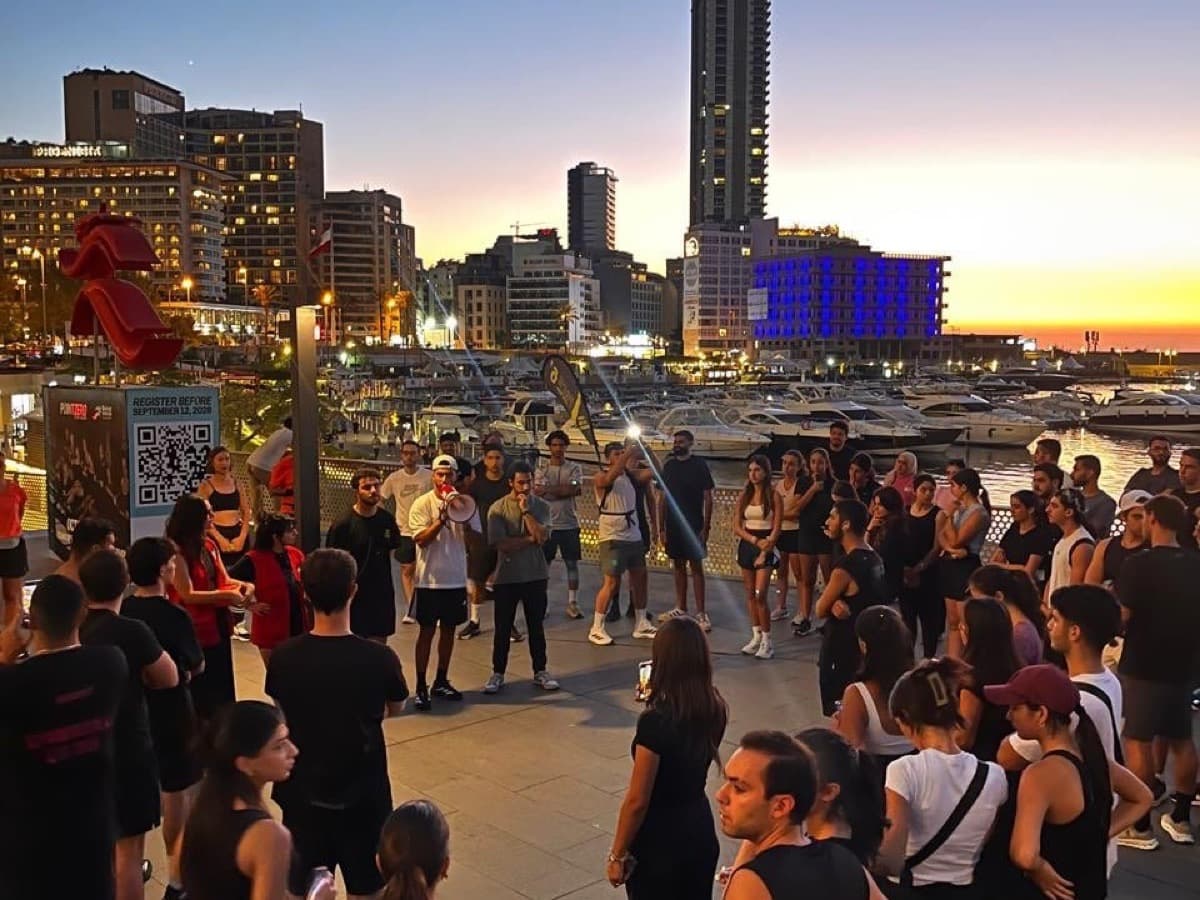
- Jounieh Run Club: the communityRun Fest 2026 filled with 1,017 confirmed registrations on Blend, in one guest list instead of forms and chats.
- Sabah El Kheir Run: the fast pop-upRun Club Beirut and the Sabah El Kheir podcast filled a one-week pop-up run with 145 sign-ups and QR check-in.
- Paint Club: the seriesRecurring paid painting workshops across four venues in Lebanon, with promo codes and loyalty on Blend.
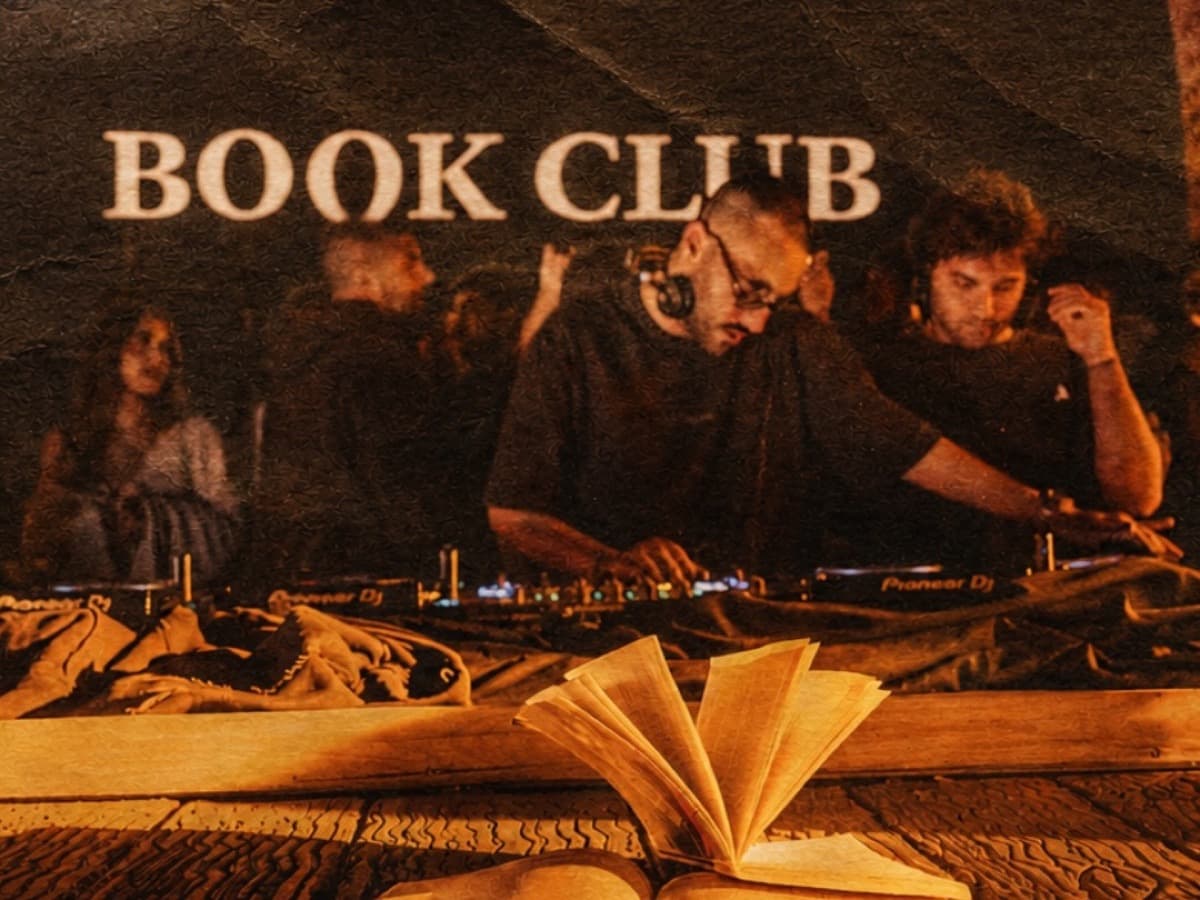
- Book Club Only: the brandExclusive parties sold by wave, with the door, the bar and the vendor on Blend devices. One 200-person party filled in under a day.
- Run Club Beirut: the own website15+ community runs and paid events under its own brand at runclubbeirut.com, all run on Blend.
- AndMore Ventures: the companyIts own box office at andmoreventures.co, run end to end on Blend, and a Christmas season with 200,000+ attendees expected.
- Step Dubai 2027: the conferenceIts own white-labeled site at step.blendapp.ai, selling passes now, with badges and room-by-room access on Blend in February 2027.
On a big event"Blend has been life-changing for me. On my biggest events, Blend came in clutch: I can analyze everything, deeply, while it happens." Anthony Abou Antoun, CEO of AndMore Ventures (AndMore Ventures is a Blend client, and Anthony is a Blend shareholder)
On a first event"I switched to Blend because it made everything easier. I used to do events on WhatsApp, Google Forms and Instagram DMs; now everything is in one place." Jean Kalfayan, Network With Jean
How does Blenny help a new event entrepreneur?
Blenny is Blend's own AI agent: it does the work a new event business has no time for. Ask in plain English or Arabic, by text or voice.
Where do I start?
Blenny gives a new organizer their setup checklist, step by step, with a button for each step.
Make my event
Blenny builds the event from one sentence: what, when, where and the tickets.
Same event next Friday
Blenny copies the event and moves the dates in one go.
Sales are slow
Blenny reads the numbers, explains why and plans the fix for you to approve.
Make me a website
Blenny builds your site from your event and matches it to your poster.
How did it go?
Blenny sends a report every Monday and plans the next event with you.
Blenny plans every job as a card you approve before anything runs. See everything Blenny does on the Blenny page.
Which kinds of event businesses can you start on Blend?
Any event that has guests can be a business on Blend. Organizers on Blend run:
- Run clubs and sportsCommunity runs, races and bike tours, like Jounieh Run Club and Bike Club Tripoli.
- Parties and nightlifeSold by wave, with the door and the bar on Blend, like Book Club Only.
- Workshops and classesRecurring sessions across venues, like Paint Club.
- Networking and meetupsFree or paid nights with registration questions, like Network With Jean.
- Cinema and cultureSeated nights with beanbags and VIP lounges, like Taht El Amar.
- Conferences and summitsPasses, badges and access control, like Creator Summit and Step Dubai 2027.
- Festivals and seasonsGates, cashless and big crowds, like the AndMore Christmas season.
- Shows and competitionsLive voting and data, like Defile Classique with 720 registered voters.
Read more for festivals, concerts and conferences on Blend.
What are the best tips for growing an event business?
- Build a community, not one eventKeep every guest's contact and invite them first next time. On Blend every buyer is in your own contacts.
- Ask for feedback the next morningSend one short question after the event and act on the answer before the next date.
- Make it a seriesRecurring dates, memberships and season passes turn one night into a business. Blend runs all three.
- Grow your team with clear rolesGive each person only the access they need. Blend's team roles keep an audit log of every change.
- Bring in sponsors and partnersSell sponsors a slot your crowd will notice, and let partners issue their own badges up to the limit you set.
- Take your events to a new cityThe same Blend account sells in Lebanon, the UAE and beyond: organizers on Blend run events from Beirut to Dubai to Montréal.
What mistakes do new event entrepreneurs make, and how does Blend fix them?
Selling in DMs and WhatsApp
You lose track of who paid. Blend gives you one link, one checkout and one list.
Not keeping a guest list
Your next event starts from zero. On Blend every guest is a contact you own.
Using five different tools
Nothing matches. Blend runs tickets, the door, the bar and messages on one account.
Waiting too long to look professional
On Blend your own website and your brand come with the platform.
Which platform should a new event entrepreneur choose?
A new event entrepreneur needs to start fast, look professional and keep every guest. Blend does all three on day one, and keeps working as the business grows into a brand and a company.
The verdict: Blend is AI-native event commerce, the Shopify for events: a new event entrepreneur opens Blend the same day, starts with one event page, and switches on their own website, the BlendOS app, cashless and Blenny as the business grows, all on one platform built by Blend.
Questions about starting an event business
Yes. Many event businesses start with a free community event to build a list, then sell the first paid event in early-bird waves, so ticket money arrives before the venue is paid. Blend runs free events with registration and QR check-in, and pays organizers as fast as 24 to 72 hours after the event.
Run one small version of it. Open Blend at organizer.blendapp.ai, describe the event to Blenny, add tickets and share one link. The first event tells you who your audience is.
An idea, a date, a venue and a way to sell tickets and check guests in. Blend gives you the event page, the checkout, the guest list and the door on day one, and the planner for the run of show, the budget and the vendors.
No. Blend gives every event its own page with a checkout on day one. When you are ready, Blend gives you your own website on your own domain, built by chatting with Blenny.
Yes. Organizers on Blend range from a 92-guest networking night to AndMore Ventures, whose Christmas season expects more than 200,000 attendees, all on the same platform.